Ads and trackers, blocked on your device.
AdFree runs on your phone or your desktop. It answers DNS queries, filters HTTPS when you install its certificate, and removes what is left of the ad in the page. No account, no server, nothing sent anywhere.
- On your device
- The filtering runs locally. A blocked request never leaves the machine.
- No telemetry
- No analytics, no crash reports, no account. The request log is a local SQLite file.
- Built on Brave's adblock
- Brave's filter engine, called from Kotlin through uniffi. The phone and the desktop run the same one.
- Open source
- Rules, tests and release builds are all in the repository.
How it works
Three layers, each one optional
DNS is answered first because it is the cheapest block. HTTPS and in-page filtering stay off until you turn them on.
DNS
A blocked name gets NXDOMAIN or 0.0.0.0 from the local resolver, so the connection is never opened and no data is spent on it.
HTTPS
Off by default. With the local CA installed, port 443 is terminated, HTML is rewritten and scripts are injected. Without the CA it only relays.
In the page
Cosmetic rules, scriptlets and userscripts remove the empty box an ad left behind.
Features
What it does
A filtering engine that reads the request, the response and the page, not a DNS resolver with a switch.
Full-tunnel VPN
TCP on every port is relayed and non-DNS UDP goes through a userspace NAT. QUIC and DoT are dropped so apps fall back to TCP, which can be filtered.
AdGuard, EasyList and uBO rules
adblock-rust does the matching, plus the response modifiers the crate lacks: $$ and ##^ HTML filtering, $jsonprune, $hls, $path and $url masks.
Per-app rules
Narrow a rule to one app with $app, or route an app around the tunnel from the Apps tab.
Tracking protection
One switch over fourteen changes: headers and cookies, browser APIs, handshake splitting against DPI, and IP masking. The three levels write twelve of them at once.
Cosmetic filtering and userscripts
A page runtime with @require and a safe subset of the GM APIs, so a broken site can be patched without a new app build.
Smart filtering
Optional. A host blocked seven times in ten seconds gets a one-minute pass so an app stops retrying. It is off by default.
Company breakdown
Statistics group blocked traffic by domain and name the company, service and category from AdGuard’s tracker list and Ghostery TrackerDB.
Security Lab
Offline checks with no network calls. When a security list blocks a domain, one notification opens the log filtered to it.
Automation
Tasker can switch protection through an exported receiver. It stays closed until you enable it, and needs that install’s token.
0
servers of ours
14
privacy edits
3
protection levels
1
Rust core
Third-party test
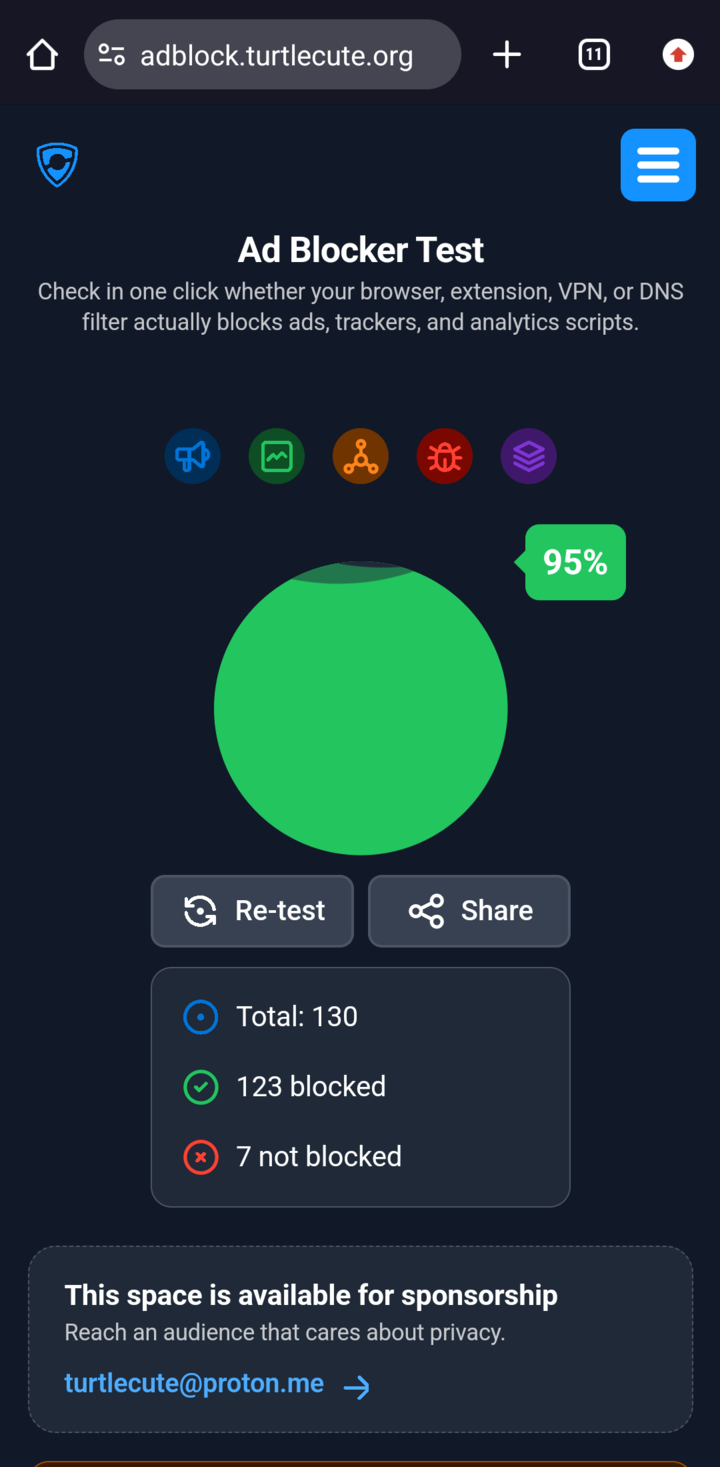
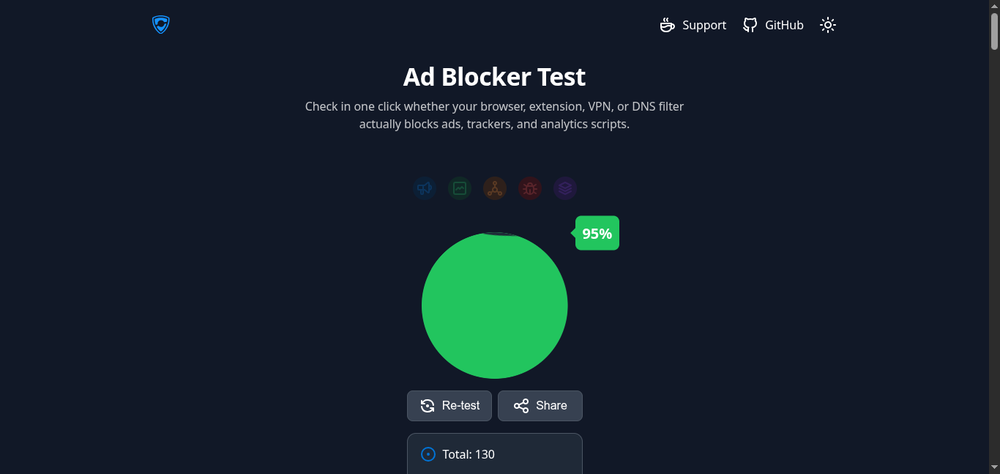
123 of 130 requests blocked
adblock.turtlecute.org sends 130 known ad and tracker requests and counts the ones that never arrive. AdFree blocked 123 of them, 95%, on the phone and on the desktop, with HTTPS filtering off — so each one was refused by name rather than by a rewritten certificate.
YouTube
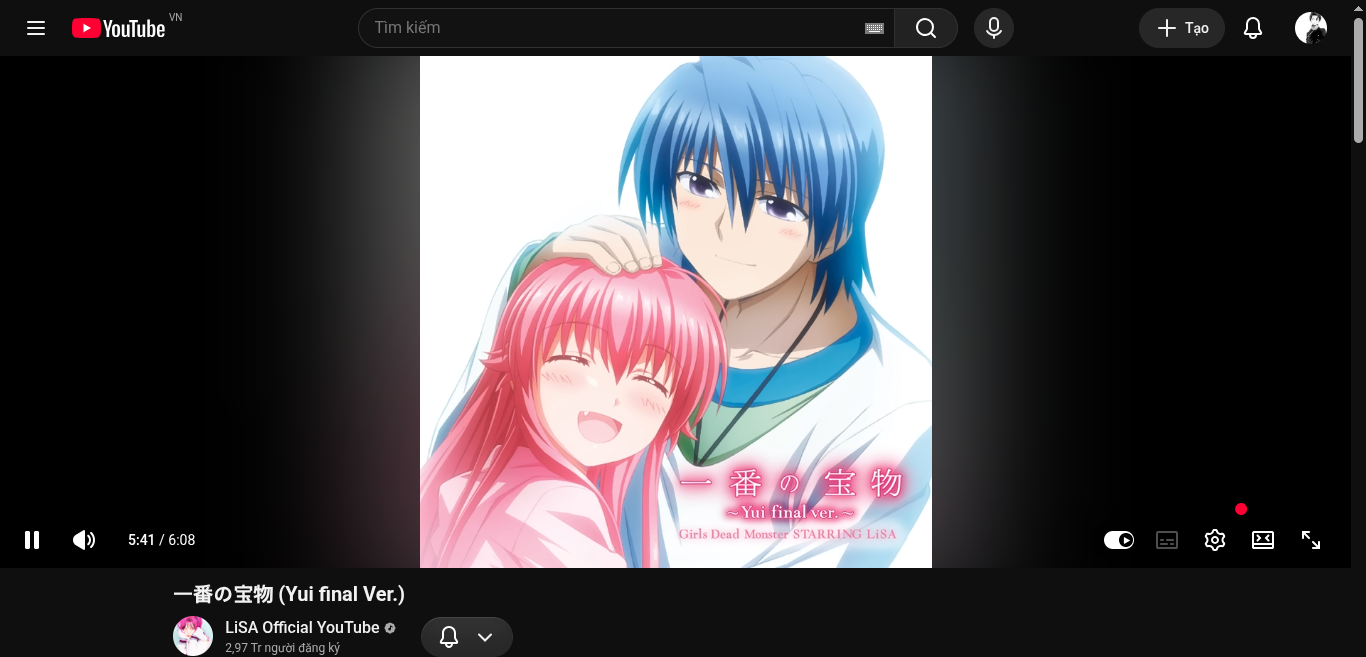
The video plays, the ads never arrive
AdFree takes the ad placements out of the player response before the page reads it, and blocks the requests YouTube uses to count and sell them. Nothing to skip, no extension to install.
- Pre-roll, mid-roll and bumper ads never reach the player
- Sponsored cards in search and on the home feed are removed
- The same filter list refuses the ad requests on the network
Screenshots
The app on each platform
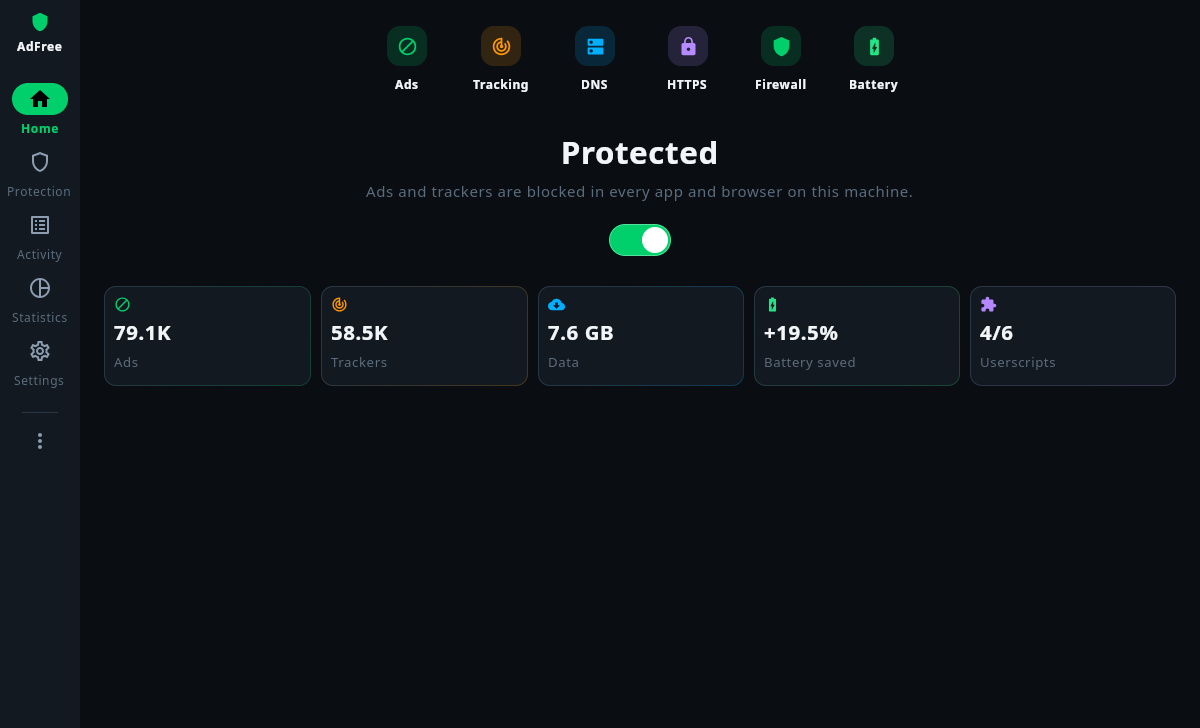
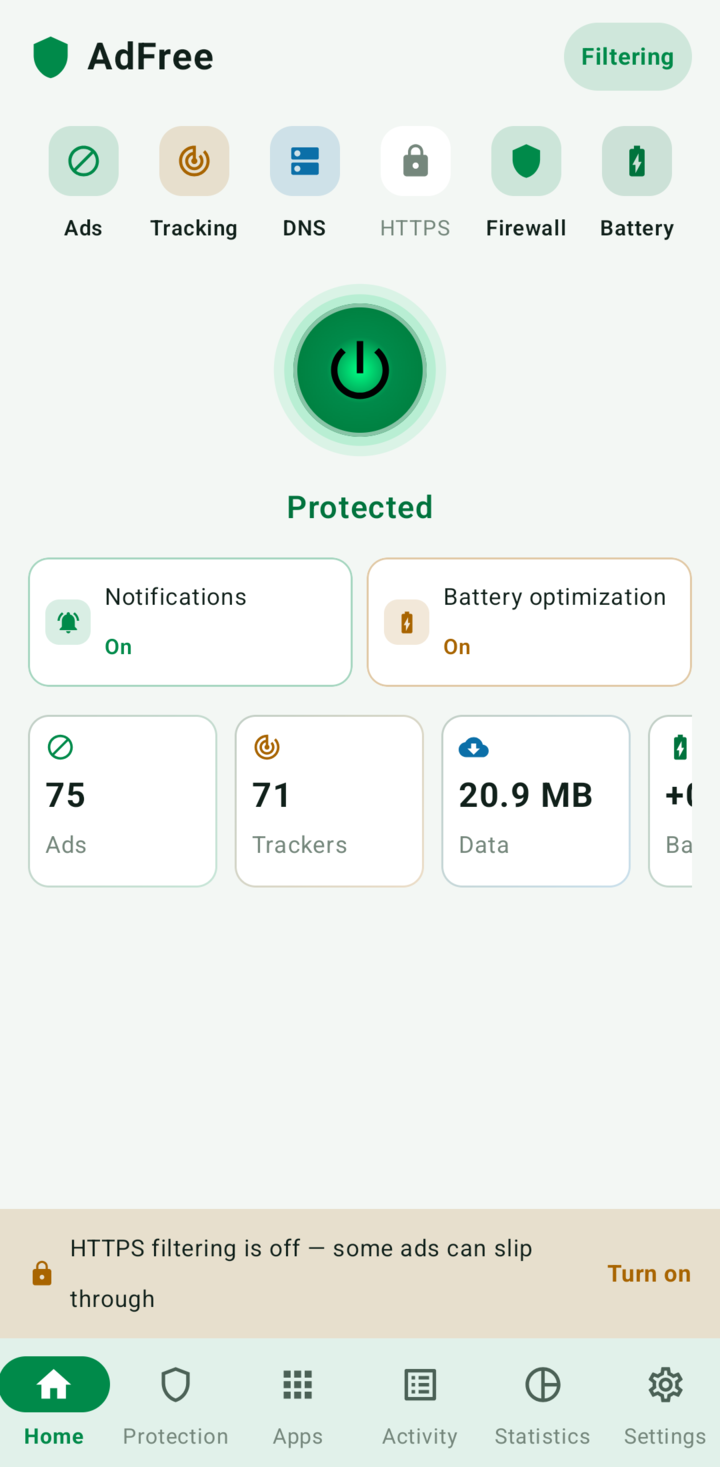
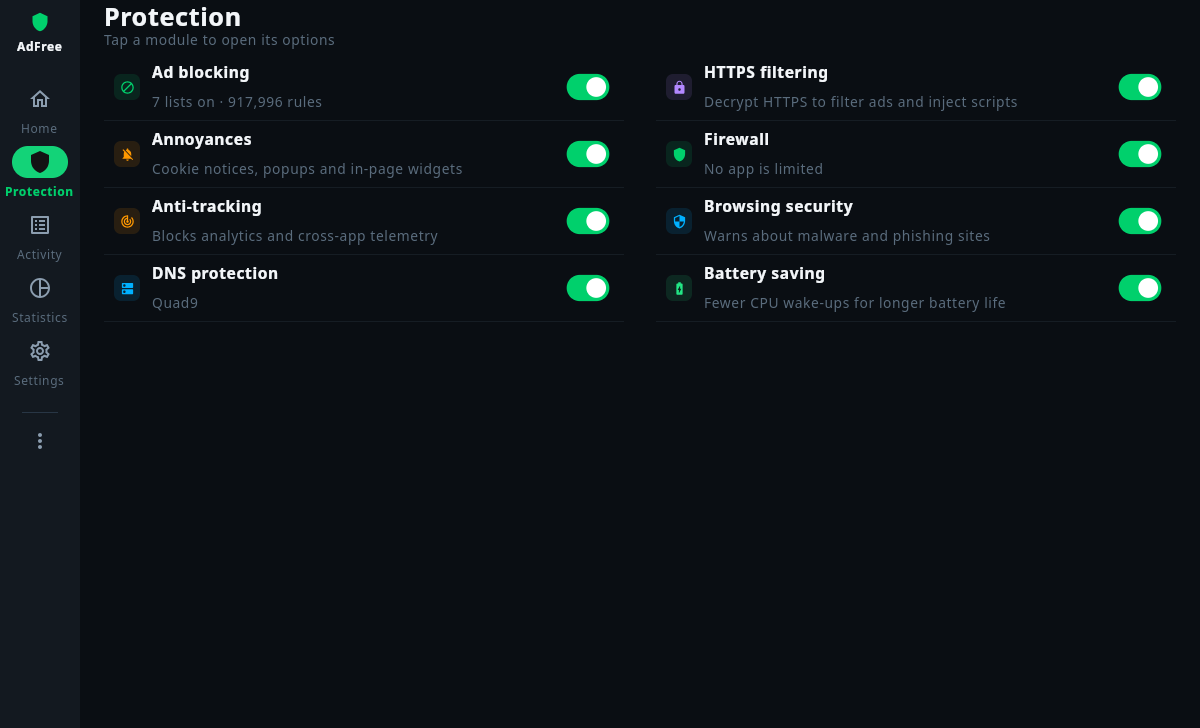
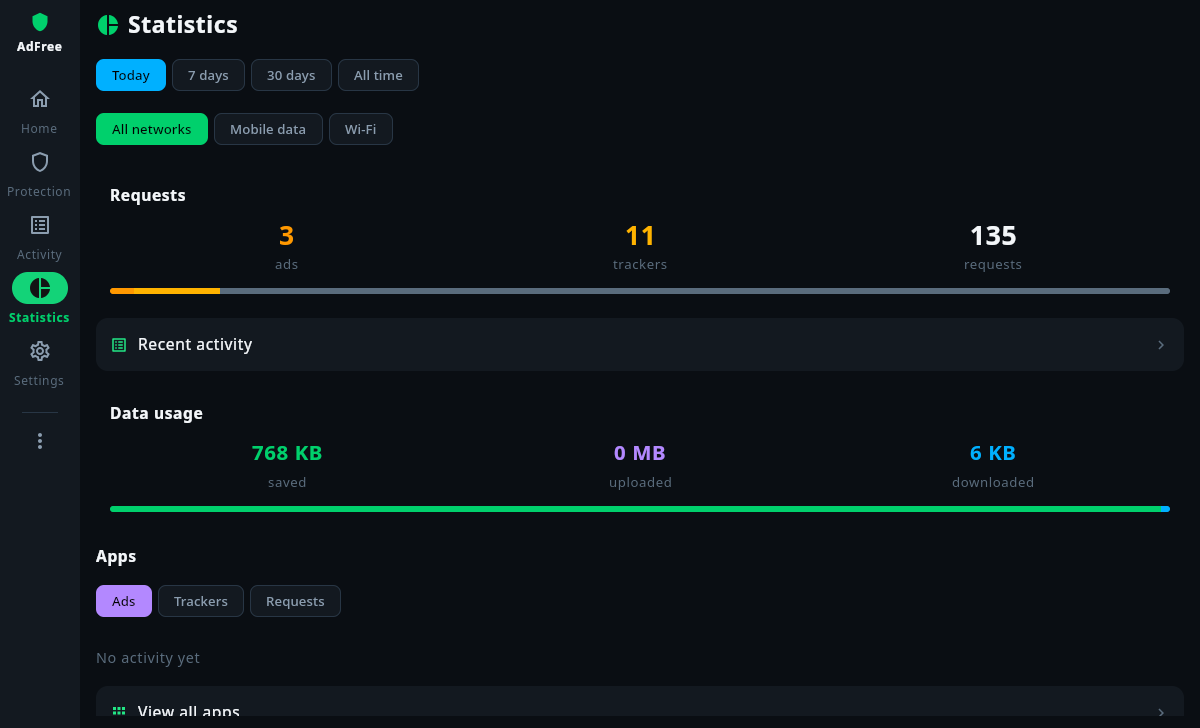
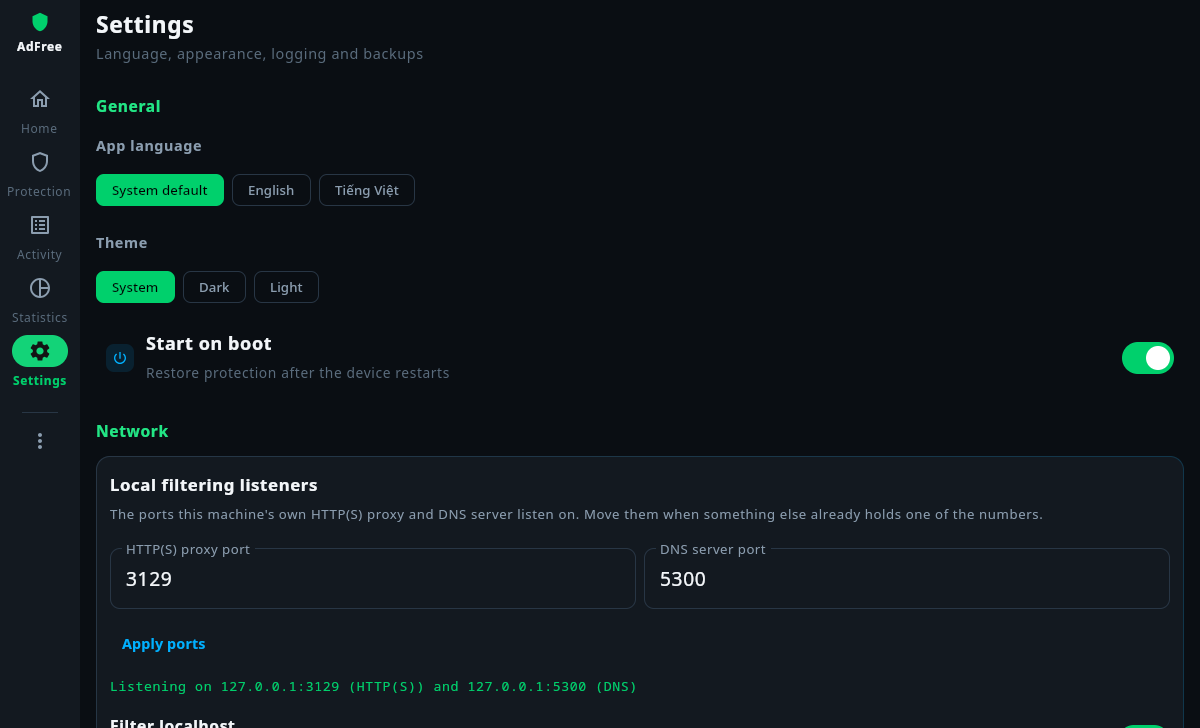
Screenshots of the released builds. The phone app and the desktop builds run the same Compose screens over the same core.
deb, rpm or Arch package, the UI on the host JVM, and the CA added to the distribution’s trust store when you allow it.
Request inspector
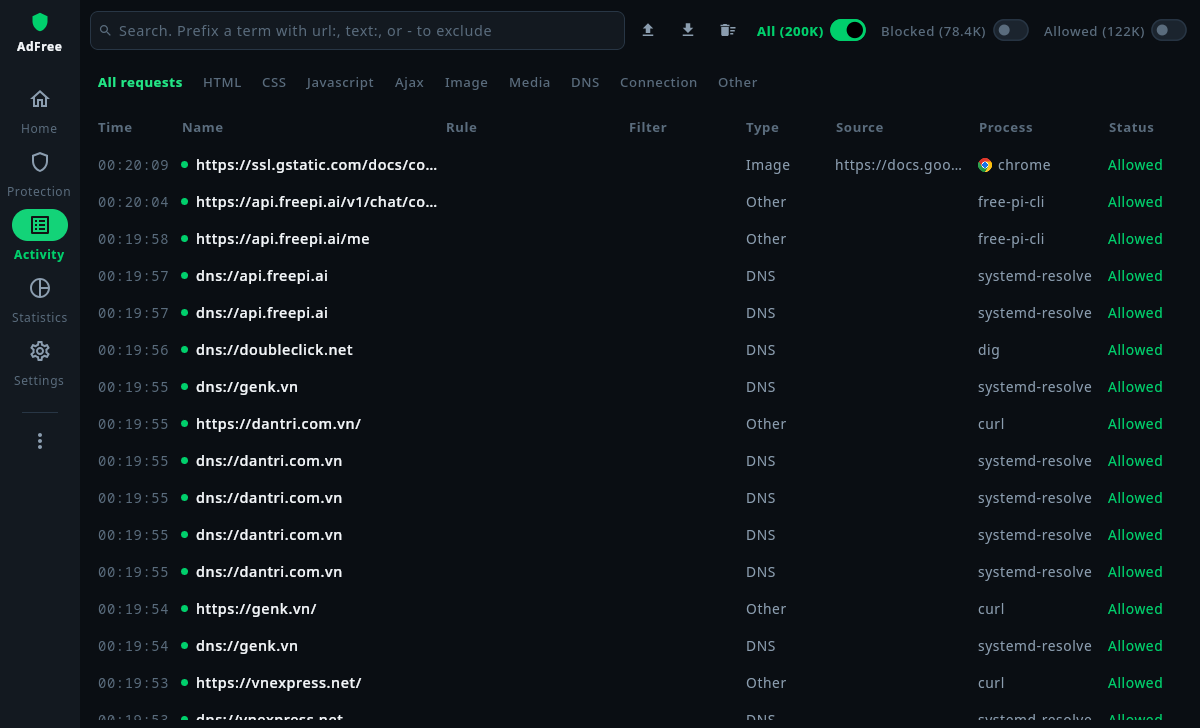
Every request the app handled, and what came back
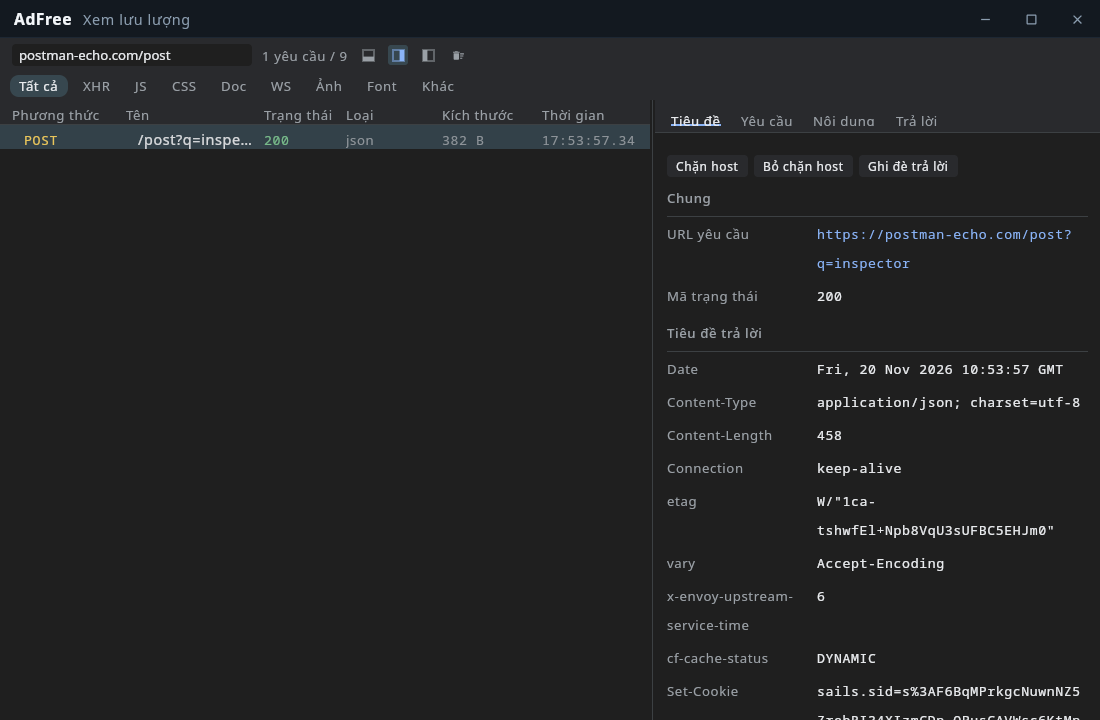
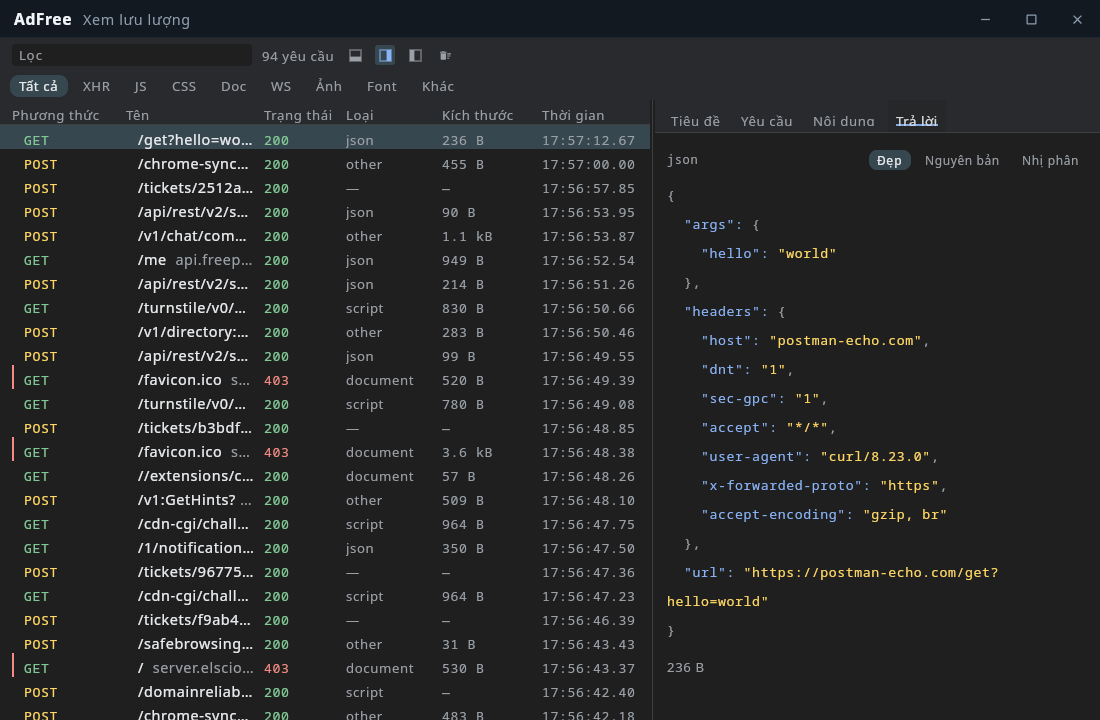
The inspector is a network panel for traffic that never reaches a browser: the columns, the filter box and the detail pane you already know — plus the parts a browser cannot show, like a stream read while it arrives and an answer replaced on its way out.
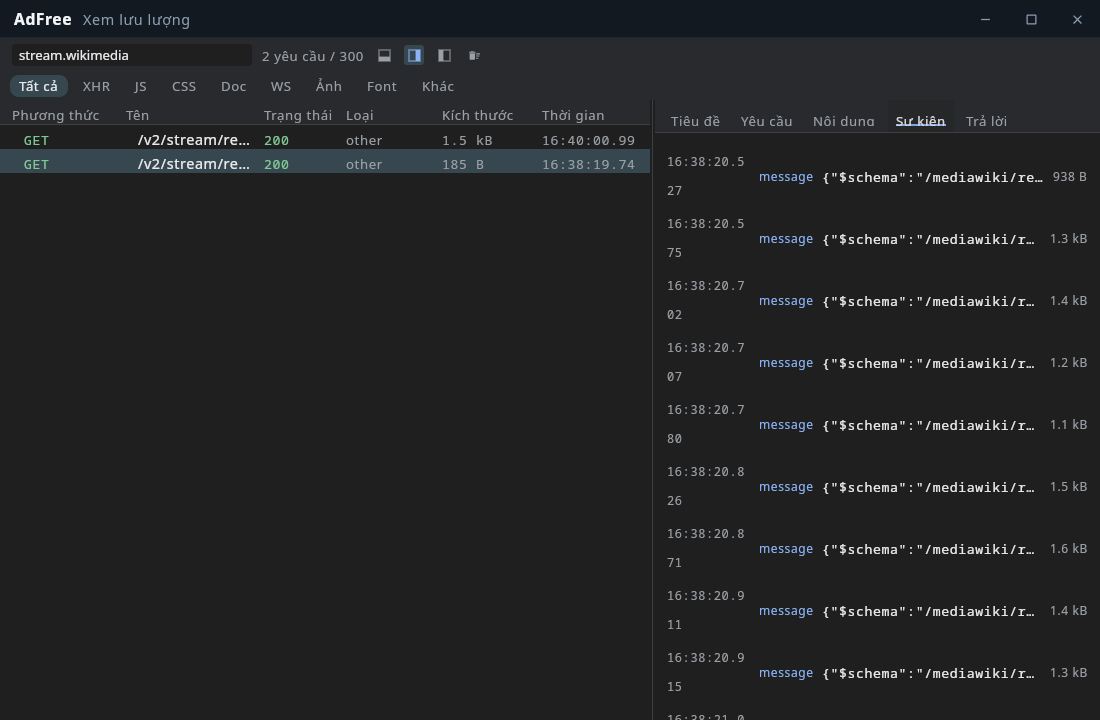
One list, nothing hidden
Method, host, status, kind, size and time, newest first. Filter by text or by kind: XHR, JS, CSS, document, socket, image, font.
Bodies laid out
JSON, XML, HTML, CSS, JavaScript and YAML arrive highlighted, with a raw view for the wire and a byte view for bodies that are not text at all.
A stream, read as it arrives
Server-sent events are listed with their own arrival time and size while the connection is still open, instead of waiting for a response that never ends.
Answers you can replace
Point a URL pattern at a status, headers and a body — text or base64 — and the client receives that answer instead. In force while the window is open, saved for the next one.
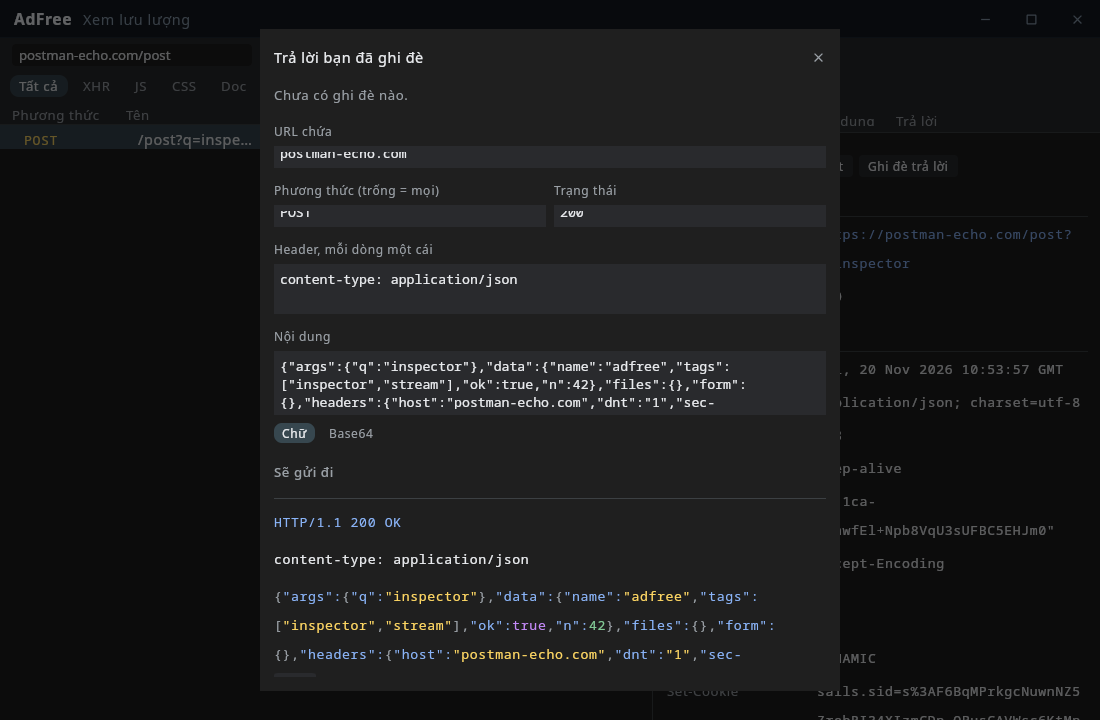
Captured from the released Linux build: the list, a body laid out, a stream read event by event, and the answer a replacement will send.
Open it from the tray menu, or from the two buttons under the switch on Home.
Platforms
Which build to take
Every build comes from the same tag and the same core. Android is the phone app; the desktop packages run the whole UI on your machine.
Android
A full-tunnel VpnService, six Compose tabs, reconnect after a reboot, and Tasker automation.
- APK from the latest release
- minSdk 24 · arm64, armv7, x86_64
- No root
Windows
The same core in a desktop window. DNS is redirected per adapter, and the tray keeps it running when the window closes.
- MSI for x64 and arm64
- Per-adapter DNS redirect
- Tray and auto-start
Linux
deb, rpm or Arch package with the whole UI on the host JVM. The CA goes into the distribution’s trust store when you allow it.
- deb, rpm and pkg.tar.zst
- Debian, Ubuntu, Fedora, Arch, CachyOS
- pkexec only for the CA
Download
The files below are from the latest release, published by CI from the tag. Pick your platform; every package includes its own runtime.
No account and no sign-up.
Latest release 1.31.0
All releasesdeb · x86_64
adfree_1.31.0_amd64.deb · 96.8 MB
deb · arm64
adfree_1.31.0_arm64.deb · 94.9 MB
pkg.tar.zst · x86_64
adfree-1.31.0-1-x86_64.pkg.tar.zst · 103.7 MB
rpm · arm64
adfree-1.31.0-1.aarch64.rpm · 106.3 MB
rpm · x86_64
adfree-1.31.0-1.x86_64.rpm · 96.9 MB
Install on Linux with one command
curl -fsSL https://raw.githubusercontent.com/adfree-app/adfree/main/scripts/install-linux.sh | bashThe script asks your package manager what it needs — deb on Debian, Ubuntu, Mint and Pop, rpm on Fedora and openSUSE, pkg.tar.zst on Arch, CachyOS, EndeavourOS and Manjaro — then installs to /opt/adfree.